Table of Contents
- Answer first: what to do and how to confirm it
- Symptoms and fast triage commands
- Step-by-Step Upgrade Process for PHP 8.2 WordPress compatibility
- Compat scanning first
- Dynamic properties and deprecated calls
- Shims when you cannot edit a plugin
- Canary and rollback
- Prevention: make 2026 upgrades boring
- Frequently asked questions
- Action checklist
Answer first: what to do and how to confirm it
Run a compatibility scan on a staging clone before switching PHP, then fix every dynamic-property write, deprecated call, and fatal in custom code first. Upgrade to PHP 8.2 or 8.3 behind a canary, watch wp-content/debug.log, WP-Cron, checkout, and admin AJAX for 24–48 hours, and compare error rates against the PHP 8.1 baseline. It is done right when wp core check-update, wp plugin list --status=active, smoke tests, and a clean deprecation log all pass with no AllowDynamicProperties shims left in code you own. If those signals drift, roll back the PHP-FPM pool immediately, not the database.
Symptoms and fast triage commands
The usual pattern after a host switches from PHP 8.1 to PHP 8.2 or 8.3 is not a white screen; it is a quiet flood: Deprecated: Creation of dynamic property Foo::$bar is deprecated, Deprecated: utf8_encode() is deprecated, Deprecated: ${var} string interpolation is deprecated, or a 500 only on one admin screen. WooCommerce orders may still complete while a background ERP sync dies. Start with facts, not guesses.
# 1. Confirm what the web SAPI and CLI actually run in 2026
php -v
php -i | grep -E 'Loaded Configuration|error_log|display_errors|opcache.enable'
wp eval 'echo PHP_VERSION . " | " . PHP_SAPI . PHP_EOL;' --path=/var/www/html

# 2. Put staging into forensic mode (wp-config.php, before /* That's all */)
grep -n "WP_DEBUG" /var/www/html/wp-config.php

# 3. Tail the real log while replaying the failing request
tail -f /var/www/html/wp-content/debug.log

# 4. Locate the exact offender, not just the plugin slug
grep -RIn --include='*.php' -E '$[A-Za-z_][A-Za-z0-9_]*->[A-Za-z_][A-Za-z0-9_]*[[:space:]]*=|utf8_(encode|decode)|${[A-Za-z_]|create_function|each(' /var/www/html/wp-content

# 5. Compare plugin/theme/core versions against the baseline
wp plugin list --status=active --format=table --path=/var/www/html
wp core version --path=/var/www/html
wp cron event list --path=/var/www/html
Keep display_errors=Off in production and log_errors=On; otherwise deprecations leak into REST responses and break JSON consumers. A common pitfall is scanning with CLI PHP 8.3 while Apache or Nginx still serves PHP 8.2 via a different FPM socket. Check php-fpm8.3.sock against the Nginx fastcgi_pass directive, and check wp eval from the same user that runs the site. Another pitfall is an object-cache drop-in masking the first request: flush with wp cache flush before replaying, then replay again warm.
Step-by-Step Upgrade Process for PHP 8.2 WordPress compatibility
- Clone production files and database to staging, keep PHP 8.1, and capture a baseline log plus a
wp plugin list --format=jsonsnapshot. - Run static compatibility scanning and record every finding by file path, line, and owning plugin or mu-plugin.
- Patch owned code, update vendor plugins, and add temporary shims only for uneditable third-party code.
- Switch the staging FPM pool to PHP 8.2, replay smoke tests, then repeat on 8.3 if that is the 2026 target.
- Canary a small percentage of real traffic, watch logs and business metrics, and keep the 8.1 pool hot.
- Roll back by changing the FPM upstream, not by restoring database backups, unless a migration wrote data.
This order matters because a database restore cannot undo an OPcache-compiled deprecation storm, and a plugin update done after the PHP switch makes attribution impossible. WordPress 6.7, 6.8, and the 2026 6.9 branch are PHP 8.3 compatible in core, but compatibility is a property of the whole stack: theme, mu-plugins, payment gateway SDKs, and old class-*.php helpers bundled inside plugins. See the WordPress deprecated function reference for how core itself signals removed behaviour, and treat plugin deprecations the same way.
Compat scanning first
Scanning first means you produce an inventory before touching runtime. In 2026 the reliable baseline is PHPCompatibilityWP 3.x with PHP_CodeSniffer 3.9+, plus a runtime pass with WP_DEBUG_LOG. Static tools catch ${} interpolation, utf8_encode(), create_function(), and each(); runtime logs catch dynamic properties created from untyped stdClass-like objects, __get()/__set() side effects, and conditionally loaded vendor SDKs that static analysis never sees.
Build the scan on staging
cd /var/www/staging
mkdir -p /tmp/php82-scan && cd /tmp/php82-scan
composer require --dev phpcompatibility/phpcompatibility-wp:^3 dealerdirect/phpcodesniffer-composer-installer:^1
vendor/bin/phpcs --config-set installed_paths vendor/phpcompatibility/php-compatibility,vendor/phpcompatibility/phpcompatibility-wp,vendor/phpcompatibility/phpcompatibility-paragonie

# Scan only mutable code; core is already vetted
vendor/bin/phpcs -p --standard=PHPCompatibilityWP
  --runtime-set testVersion 8.2-8.3
  --extensions=php
  --ignore='*/node_modules/*,*/vendor/*,*/tests/*'
  --report=full --report-file=/tmp/php82-scan/report.txt
  /var/www/staging/wp-content/plugins /var/www/staging/wp-content/themes /var/www/staging/wp-content/mu-plugins

# Summarise by owner for the ticket
grep -oE '/(plugins|themes|mu-plugins)/[^/]+' /tmp/php82-scan/report.txt | sort | uniq -c | sort -nr | head -30
Then do a runtime sweep under PHP 8.1 with logging on, switch to 8.2, and diff the logs. Put this in wp-config.php on staging only:
Get a Quote
Email + requirement + budget range — we reply with a quote within 24 hours.
define( 'WP_DEBUG', true );
define( 'WP_DEBUG_LOG', '/var/www/staging/wp-content/debug.log' );
define( 'WP_DEBUG_DISPLAY', false );
define( 'WP_ENVIRONMENT_TYPE', 'staging' );
@ini_set( 'error_reporting', E_ALL );
@ini_set( 'log_errors', 1 );
Replay the surfaces that matter: wp cron event run --due-now, wp rest get /wp-json/wc/v3/orders --user=admin on a WooCommerce staging key, admin AJAX via curl -b cookies.txt -X POST https://staging.example.com/wp-admin/admin-ajax.php -d 'action=your_action', and a real checkout in test mode. Verify with grep -c 'Deprecated' /var/www/staging/wp-content/debug.log before and after; the target is zero new lines after 48 hours. A frequent mistake is scanning wp-includes and wasting a sprint on core notices, or ignoring wp-content/mu-plugins, where agencies hide exactly the legacy helpers that break. If the site is part of a larger vendor stack, align the scan with the same release gate used in WooCommerce ERP integration planning, because SDK pins often lag behind the CMS upgrade.
Dynamic properties and deprecated calls
PHP 8.2 deprecates creating a property that was not declared in the class, unless the class carries #[AllowDynamicProperties], extends an allowed class, or implements __get()/__set(). PHP 8.3 keeps that deprecation and adds stricter type behaviour around json_validate() era APIs, mbstring overrides, and randomizer changes. In WordPress code the break usually looks like a plugin doing $this->session = new Session(); inside a class that never declared private Session $session;, or a theme storing $post->custom_flag = true; on a WP_Post. WP_Post is final-ish in practice and uses magic getters; writing to it is the classic 8.2 log flood.
Fix owned code properly
Declare the property with a real type and default, or move ad-hoc state into an explicit array or meta. Do not silence E_DEPRECATED globally; that hides the 8.3 removals you will hit next.
// BEFORE (PHP 8.1 ok, PHP 8.2 deprecated)
class Legacy_Shipping_Gateway {
    public function init() {
        $this->tracking_token = get_option( 'gw_token' ); // undeclared
        $this->cache = [];
    }
}

// AFTER (PHP 8.2 / 8.3 clean)
class Legacy_Shipping_Gateway {
    private string $tracking_token = '';
    /** @var array */
    private array $cache = [];

    public function init(): void {
        $this->tracking_token = (string) get_option( 'gw_token', '' );
    }
}

// WP_Post: never write to the object
// BEFORE: $post->custom_flag = true;
update_post_meta( $post->ID, '_custom_flag', 1 );
$flag = (bool) get_post_meta( $post->ID, '_custom_flag', true );
For deprecated calls, map them explicitly: utf8_encode()/utf8_decode() become mb_convert_encoding($s, 'UTF-8', 'ISO-8859-1') and the reverse; "${name}" becomes "{$name}"; create_function() becomes a closure; each() becomes foreach(); strftime()/gmstrftime() become wp_date() or IntlDateFormatter. WordPress offers _deprecated_function(), _deprecated_argument(), and apply_filters('deprecated_function_run', ...) so your own plugin can warn consumers before you remove an API in the next major release.
Verify the fix, not just the absence of a fatal
Run php -l on every edited file, re-run the PHPCompatibilityWP command with --runtime-set testVersion 8.3-, then clear OPcache with wp eval 'opcache_reset();' or systemctl reload php8.3-fpm. Replay the exact request and confirm the log diff is empty: diff /tmp/php82-scan/before.log /var/www/staging/wp-content/debug.log | grep '^>' | grep -i deprecated should return nothing. Pitfall: typed properties break code that later assigns null; use nullable types (?string) or a sentinel default. Pitfall: adding #[AllowDynamicProperties] to your own class satisfies 8.2 today but is technical debt that PHP 9 will not forgive, and it silently propagates to child classes. For teams maintaining several client sites, this is the same discipline we apply in Custom WordPress Development: declare state, keep magic out of domain objects, and log before you suppress.
Shims when you cannot edit a plugin
Sometimes the offender is a licensed plugin with an encrypted loader, a vendor SDK pinned to 2019, or a client contract that forbids patching wp-content/plugins/vendor-gateway/. You still need to ship the PHP upgrade. Use a temporary mu-plugin shim, time-boxed and documented, never a core edit and never a blanket error_reporting(E_ALL & ~E_DEPRECATED).
Option A: attribute shim via class alias or autoload hook
You cannot add an attribute to a class after it is declared, so the safe pattern is to intercept before load: copy the offending class file into wp-content/mu-plugins/compat/, add the attribute there, and register an autoloader that wins over the plugin’s autoloader. Keep the original file untouched so updates still overwrite it.
// /var/www/staging/wp-content/mu-plugins/00-php82-compat.php
= 4.2.0 (2026 Q3).
 */
add_action( 'muplugins_loaded', static function (): void {
    spl_autoload_register( static function ( string $class ): void {
        if ( $class !== 'Legacy_Gatewayu005cClient' ) {
            return;
        }
        require __DIR__ . '/compat/Legacy_Client.php';
    }, true, 10 ); // prepend = true
}, 1 );

// /var/www/staging/wp-content/mu-plugins/compat/Legacy_Client.php
#[AllowDynamicProperties]
class Legacy_Client { /* mirrored body, $token now tolerated */ }
Option B: targeted deprecation filter, not global silence
If the plugin calls a WordPress API you deprecated yourself, hook the run filter and log once per request instead of hiding it. For PHP engine deprecations, prefer a scoped set_error_handler() around the single callback that owns the legacy SDK, restored immediately in finally.
add_filter( 'deprecated_function_run', static function ( $function, $replacement, $version ) {
    if ( str_starts_with( (string) $function, 'gw_legacy_' ) ) {
        error_log( sprintf( 'PHP82 shim hit: %s -> %s (since %s)', $function, $replacement, $version ) );
    }
}, 10, 3 );

function gw_call_legacy_sdk( callable $work ): mixed {
    set_error_handler( static function ( int $no, string $msg ): bool {
        return $no === E_DEPRECATED && str_contains( $msg, 'dynamic property' );
    } );
    try {
        return $work();
    } finally {
        restore_error_handler();
    }
}
Verify shims with wp eval 'echo class_exists("Legacy_Gateway\Client") ? "shim-loaded" : "miss";', then grep the log for PHP82 shim hit to prove the fallback is actually being used and is bounded. Pitfalls: an autoloader with prepend=false loses to Composer; a shim left in place after the vendor update causes duplicate-class fatals; and a global error handler swallows E_USER_DEPRECATED from WooCommerce, which is exactly the signal your next upgrade needs. Put an expiry date in the file header and a wp option add php82_shim_expiry 2026-09-30 ticket. Broader release-gate patterns are catalogued in our technical column index.
Canary and rollback
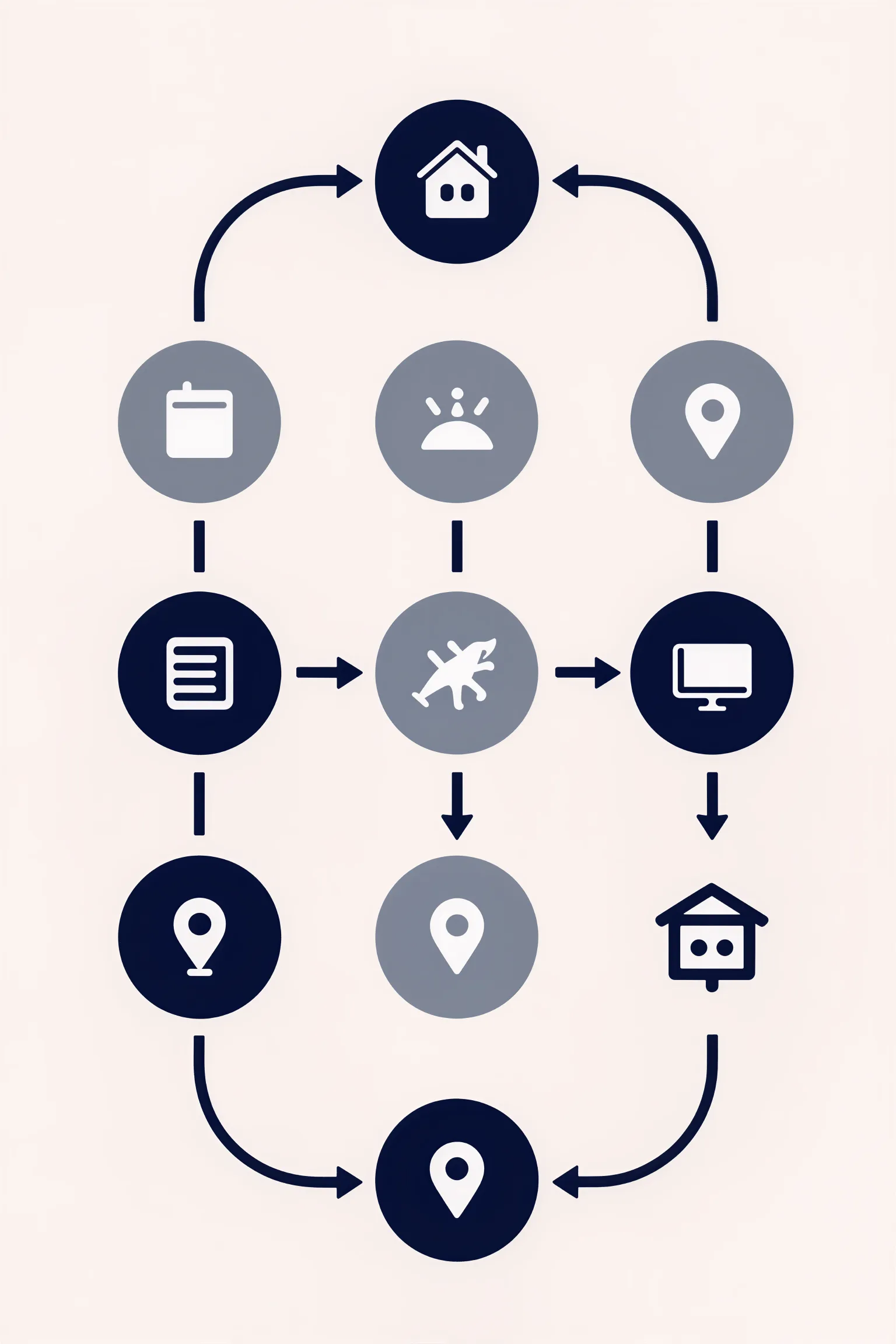
Never flip all traffic at once. Keep php8.1-fpm running, add php8.3-fpm on a second socket, and route a small slice by cookie or header. With Nginx, use a map and a separate location; with a load balancer, use weighted upstreams. The database is shared, so schema-neutral code only — do not combine the canary with a plugin migration that writes new tables.
# /etc/nginx/conf.d/01-php-canary.conf
map $http_x_php_canary $php_upstream {
    default        unix:/run/php/php8.1-fpm.sock;
    '8.3'          unix:/run/php/php8.3-fpm.sock;
}
server {
    location ~ .php$ {
        include        fastcgi_params;
        fastcgi_param  HTTPS on;
        fastcgi_pass   $php_upstream;
        fastcgi_param  X_PHP_CANARY $http_x_php_canary;
    }
}

# Smoke the canary explicitly
curl -sS -o /dev/null -w '%{http_code} %{time_total}n' -H 'X-PHP-Canary: 8.3' https://example.com/wp-login.php
curl -sS -H 'X-PHP-Canary: 8.3' https://example.com/wp-json/ | head -c 200

# Rollback in under 10 seconds: remove the map override, keep 8.1 hot
sed -i "s/'8.3'          unix:/run/php/php8.3-fpm.sock;/'8.3'          unix:/run/php/php8.1-fpm.sock;/" /etc/nginx/conf.d/01-php-canary.conf
nginx -t && systemctl reload nginx
systemctl reload php8.1-fpm
wp cache flush --path=/var/www/html
Watch four signals for 24–48 hours: new Deprecated lines per 1k requests, 5xx rate split by X_PHP_Canary, WP-Cron missed-schedule count via wp cron event list --fields=hook,next_run, and business events (orders, form submits, webhook deliveries). Roll back if any of those diverge by more than the agreed threshold, typically 0.5% 5xx or any failed payment callback. Because the canary shares the database, rollback is an upstream change plus wp cache flush and OPcache reload — not a restore. Only restore the pre-switch database snapshot if a plugin migration ran during the window; in that case, also replay the order/webhook queue from the gateway. Common pitfall: leaving opcache.validate_timestamps=0 in production means patched PHP files stay compiled from 8.1 bytecode after the switch; set opcache.validate_timestamps=1 for the canary window or reload the pool. Another pitfall is canarying only anonymous traffic while logged-in editors and admin AJAX stay on 8.1, which hides exactly the dynamic-property bugs in admin metaboxes. For storefronts with shipment or inventory callbacks, coordinate the window with the same checks used in WooCommerce inventory management so a silent cron failure does not desync stock.
Prevention: make 2026 upgrades boring
Put the scan in CI on every pull request, not only during upgrade week. Pin testVersion 8.2-8.3 now and add 8.4 to the matrix when your host publishes it. Require declared properties in code review, ban writes to WP_Post and WP_User objects in favour of meta, and keep a wp-content/mu-plugins/compat/ register with owner, ticket, and expiry. Run wp core check-update, wp plugin list --update=available, and a nightly staging cron under the newest PHP your host offers. Record the baseline log count in the release notes so the next engineer can diff instead of guess. The WordPress PHP update guidance is a useful owner-facing handout, but your CI gate is the actual control.
Frequently asked questions
Is PHP 8.2 WordPress compatibility just a core version question?
No. WordPress 6.9 in 2026 runs cleanly on 8.2 and 8.3, but themes, mu-plugins, gateway SDKs, and abandoned plugins own most dynamic-property writes. Scan wp-content, not wp-includes, and verify with a runtime log diff under real admin and cron traffic.
Can I just hide E_DEPRECATED in wp-config.php?
Only as a last-hour, time-boxed measure with a scoped handler around one legacy callback. Global suppression hides 8.3 removals, corrupts REST JSON when display_errors is on, and removes the signal you need for the next upgrade. Declare the property or use a documented mu-plugin shim instead.
Should I go straight to PHP 8.3 or stop at 8.2 first?
Land on 8.2 first if the plugin inventory is old, because the dynamic-property deprecation appears there and 8.3 adds further strictness on top. If the scan is clean and the host offers 8.3, canary 8.3 directly with the 8.1 pool hot; the rollback path is identical.
Action checklist
- Clone to staging, capture the PHP 8.1 baseline log and
wp plugin list --format=jsonsnapshot. - Run PHPCompatibilityWP with
testVersion 8.2-8.3and triage findings by owning plugin and line number. - Declare every dynamic property, replace deprecated calls, and expire any mu-plugin shim with a dated ticket.
- Canary via
X-PHP-Canary, verify zero new deprecations plus stable 5xx, cron, and order metrics. - Keep
php8.1-fpmhot and rehearse the Nginx upstream rollback before go-live.
Need a second pair of eyes on a stubborn 8.2/8.3 deprecation or a legacy plugin you cannot edit? Our engineers handle scans, shims, canaries, and rollback rehearsals. Review our services or start a WordPress upgrade engagement today.
