Table of Contents
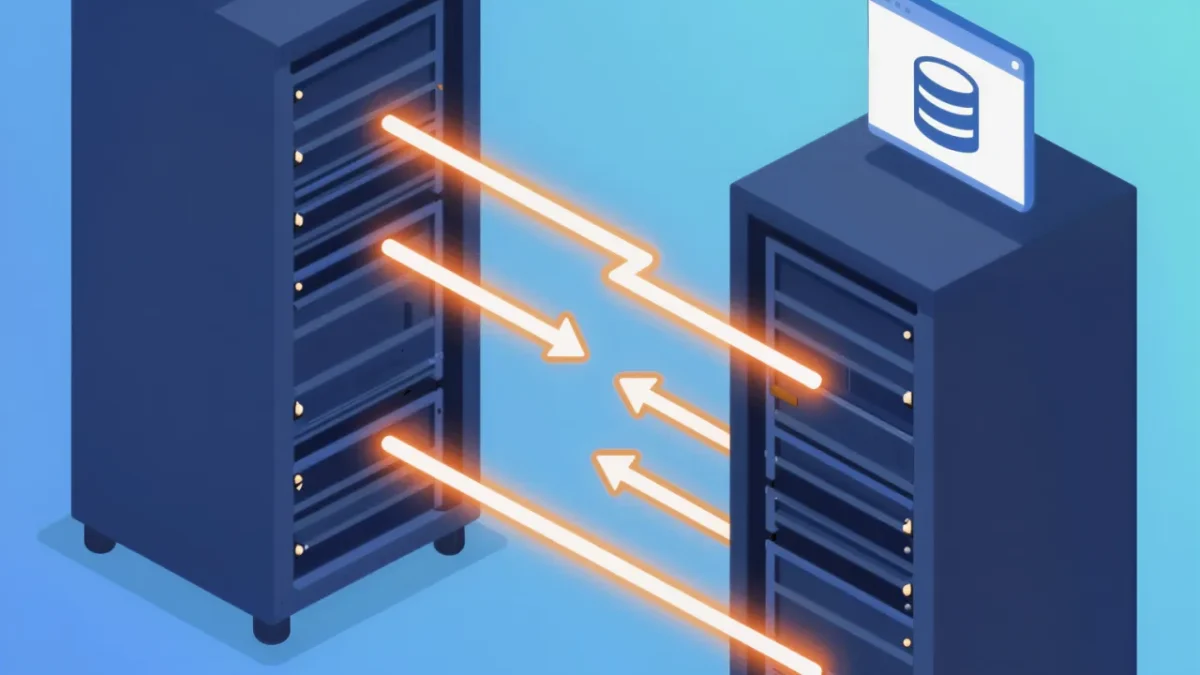
how to migrate a wordpress site is the controlled transfer of files, database, domains, URLs, configurations, integrations, and search signals from one environment to another with verified parity, minimal downtime, and a tested rollback path. A good implementation preserves rankings, revenue paths, and content integrity; a bad one changes URLs, breaks forms, loses media, or leaves DNS and cache errors for users to discover.
What Decision Makers Are Actually Buying
A migration is not a file copy. It is a short, high-risk release project. The vendor must coordinate hosting, DNS, SSL, database versions, PHP settings, cron jobs, object caching, CDN rules, email deliverability, analytics, payment callbacks, and third-party APIs. In 2026, a typical small business WordPress site has 30 to 90 plugins, 2 to 8 external integrations, and several page builders or custom blocks. Each dependency has a failure mode.
When you compare proposals, separate labor from accountability. A cheap quote may cover a plugin-based copy. A professional scope includes discovery, staging, parity checks, redirect mapping, DNS cutover, post-launch monitoring, and rollback ownership. If you are also evaluating build partners, our guide to WordPress Agency vs Regular Web Company: Vendor Guide explains why general web teams often miss WordPress-specific database, serialization, and rewrite issues.
Ask for a written definition of done. It should name exact URLs, templates, forms, checkout flows, user roles, scheduled jobs, tracking IDs, XML sitemaps, robots directives, canonical tags, structured data, Open Graph images, and admin workflows. It should also state who signs off, how long logs are retained, and what happens if organic traffic drops in the first 14 days.
| Vendor option in 2026 | Typical budget range | Best fit | Usual deliverables | Main risk |
|---|---|---|---|---|
| Host-provided free migration | $0–$150 | Simple brochure site, same URL structure, no custom integrations | Files, database, basic DNS guidance, one cutover attempt | No SEO mapping, limited rollback, little testing beyond homepage |
| Freelancer or plugin-only move | $150–$700 | Low-traffic blog with standard plugins and tolerant launch window | Backup copy, import, manual spot checks | Serialized data, broken media paths, missed redirects, weak documentation |
| WordPress agency, standard scope | $750–$2,500 | Lead-generation site, WooCommerce catalog under 500 products, multiple forms | Discovery, staging, QA matrix, redirect map, DNS plan, launch window, 7-day monitoring | Scope gaps if integrations or custom code are undisclosed |
| WordPress agency, complex scope | $2,500–$8,000+ | Multisite, membership, headless, high-revenue WooCommerce, domain consolidation, cross-CMS move | Architecture review, load testing, data reconciliation, staged redirects, analytics validation, rollback rehearsal | Timeline pressure, legacy content ownership, third-party API limits |
Budget alone does not predict quality. A $1,200 migration with a 60-point QA matrix is safer than a $4,000 move with no redirect map. Request the actual checklist, not a promise to be careful. Also ask whether the quote includes 2026 hosting variables such as Nginx rules, Redis or Memcached, HTTP/3 behavior, WAF allowlists, image optimization services, and staging subdomain indexing controls.
Step-by-Step: How to Migrate a WordPress Site Without Losing SEO
- Audit before anything moves. Export a URL inventory from crawlers, analytics, Search Console, XML sitemaps, and the database. Record status codes, title tags, meta descriptions, canonicals, hreflang, schema, internal links, media URLs, forms, checkout endpoints, webhooks, cron events, PHP version, MySQL or MariaDB version, plugin licenses, and server modules. Freeze content edits 24 to 48 hours before launch.
- Build staging and map every change. Clone files and database to the target host. Replace serialized URLs with a search-replacement tool that understands PHP serialization, not raw SQL. Recreate SSL, cache rules, CDN settings, file permissions, wp-config constants, email authentication, and object cache. Create a one-to-one redirect map for every changed URL. Keep unchanged URLs unchanged.
- Run parity and functional QA. Compare a sample of at least 50 priority pages plus all templates, archives, author pages, feeds, search results, 404 behavior, pagination, and mobile layouts. Test every form, login, password reset, cart, coupon, payment callback, download, gated asset, and notification. Verify 200, 301, 404, and 410 responses. Confirm noindex is removed from staging before cutover.
- Plan DNS, downtime, and rollback. Lower TTL to 300 seconds at least 24 hours ahead. Schedule cutover during the lowest 2-hour traffic window. Prepare rollback instructions with exact DNS values, database restore points, backup locations, cache purge steps, and named owners. For ecommerce, put the store in maintenance mode only for the final data sync, often 10 to 30 minutes.
- Cut over, sync, and validate live. Take a final backup, sync late comments, orders, users, and uploads, switch DNS or the load balancer, issue or deploy certificates, purge every cache layer, then test from at least 3 geographic locations. Submit updated sitemaps only after live URLs return clean status codes. Watch server logs, 404 spikes, form deliveries, and transaction receipts for 60 to 120 minutes.
- Monitor for 14 to 30 days. Track index coverage, crawl errors, Core Web Vitals, conversions, rankings for the top 50 non-brand queries, referral paths, email deliverability, and scheduled tasks. Keep old hosting active for at least 7 days. Keep the redirect map and QA evidence. Close the project only after written acceptance, not after the homepage loads.
The official WordPress migration documentation is useful for baseline mechanics. It does not replace commercial accountability for redirects, integrations, uptime, or revenue events.
Vendor Evaluation: Questions That Expose Weak Scopes
Technical questions to ask before signing
Get a Quote
Email + requirement + budget range — we reply with a quote within 24 hours.
Ask which tool handles serialized data and why. Ask how they treat GUID fields, widget options, page builder CSS, custom database tables, multisite blog tables, and REST API routes. Ask whether they will compare old and new HTTP headers, compression, cache-control, and image transformation rules. A credible vendor answers with commands, screenshots, or a sample QA sheet.
Ask for the redirect workflow. The answer should include source URL discovery, 301 mapping, chain elimination, case sensitivity, trailing slash policy, query parameters, pagination, feed URLs, attachment pages, and post-launch 404 triage. If the vendor says redirects can be handled later, treat that as a material risk. Search engines recrawl at their own pace. Lost equity is rarely instant, but it is expensive to diagnose later.
Ask who owns DNS and SSL. Ask whether they can coordinate with your IT team, registrar, CDN provider, payment gateway, CRM, and email platform. In 2026, many failed launches are not WordPress failures. They are SPF, DKIM, DMARC, webhook IP allowlists, or firewall rules that were never copied. Require a named contact and a shared launch channel.
Commercial questions to ask before signing
Request a fixed inventory of what is included: number of redirects, number of QA test cases, hours of post-launch monitoring, backup retention, rollback attempts, and content freeze windows. Ask what triggers a change order. Common triggers include undocumented custom tables, malware cleanup, theme refactors, domain consolidation, and cross-CMS content modeling.
Compare migration cost against broader ownership cost. Our breakdown of WordPress Pricing: Vendor Costs, Scopes and Risk in 2026 helps procurement teams separate one-time launch fees from maintenance, licensing, hosting, and support commitments. A migration quote that excludes 30 days of defect fixing often becomes three separate invoices.
For complex programs, require documentation as a deliverable. A vendor should hand over environment variables, plugin rationale, redirect CSV, DNS snapshot, backup locations, rollback notes, and known issues. If your internal editors will inherit the site, align that handover with Choosing a Vendor for WordPress Developer Documentation before content teams start publishing.
Server, Domain and Cross-CMS Scenarios
A same-domain host move is the lowest-risk scenario. URLs stay stable. The work centers on PHP compatibility, database collation, file permissions, cron, mail, cache, and TLS. Expect 1 to 3 business days for a standard site, plus DNS propagation and monitoring. Downtime can be near zero with a replicated database and a final delta sync.
A domain change is a search visibility project, not just a hosting task. Every old URL needs a tested 301 to the closest equivalent new URL. Update internal links, canonical tags, sitemaps, structured data identifiers, social profiles, email templates, PDF assets, paid campaign destinations, and Google Business Profile links. Keep the old domain and its certificate for at least 12 months. Do not redirect every old page to the new homepage.
A cross-CMS move adds content modeling. WordPress post types, taxonomies, shortcodes, blocks, ACF fields, and attachment metadata must map to the target system or back into WordPress. Plan field-by-field. Preserve publish dates, authors, slugs, featured images, alt text, excerpts, and relationship tables. Rebuild templates before import, not after. For teams moving the other direction into WordPress, a structured How to Build a WordPress Site: Vendor Decisions in 2026 review prevents the migration from becoming an unplanned redesign.
We recommend our WordPress Site Migration service for Server, domain and cross-CMS moves that keep URLs and rankings intact, especially when the project includes WooCommerce, custom tables, multiple domains, or a fixed launch date.
Multisite, membership, and LMS sites need extra rules. User IDs, capabilities, site meta, subscription schedules, certificate records, quiz attempts, and expiring access tokens must be reconciled after the final sync. Run a sandbox transaction and a sandbox enrollment on staging. Compare generated emails line by line. These systems fail quietly.
Common Mistakes

- Raw SQL find-and-replace breaks serialized data. Widgets, menus, page builder settings, and plugin options store string lengths. Avoid it by using WordPress-aware search-replacement tooling, then verify a sample of options in the database and in the admin UI.
- Redirects are guessed instead of mapped. Teams export only sitemap URLs and miss paginated archives, attachment pages, old campaign landing pages, feed variants, and parameter URLs. Avoid it by combining crawler data, server logs, analytics landing pages, and Search Console exports into one CSV with a named owner.
- Staging gets indexed or noindex ships to production. Both damage discovery. Avoid it by staging behind HTTP authentication, blocking indexing at the server edge, and adding a go-live check that confirms robots directives, canonical tags, and sitemap URLs on live responses.
- DNS TTL is lowered at cutover, not before. Old TTL values can keep users on the previous host for hours and split orders across two databases. Avoid it by lowering TTL at least 24 hours in advance and using a short, controlled maintenance window for the final sync.
- QA stops at visual parity. A page can look correct while forms, webhooks, cron, search, logins, and payment callbacks fail. Avoid it with a test matrix that records expected result, actual result, evidence, owner, and sign-off for each critical flow.
Acceptance Criteria, Evidence and Post-Launch Ownership
Write acceptance criteria into the contract. Useful targets in 2026 include: zero unintended 404s on the top 500 URLs, zero redirect chains over 2 hops, 100% of priority forms delivering to the correct inbox and CRM, 100% of checkout callbacks returning success, no missing media on sampled pages, identical canonical and index rules on matched templates, and no critical PHP errors in the first 72 hours. Set a response time for defects, often 2 business hours during the launch window.
Evidence matters more than status calls. Require a QA spreadsheet, redirect CSV, before-and-after crawl exports, DNS snapshot, SSL check, backup manifest, server error log summary, analytics annotation, and screenshots of key transactions. Store them with the project record. If traffic dips in week 2, those artifacts cut diagnosis time from days to hours.
Define ownership after sign-off. The vendor should state which defects are migration-related, which are pre-existing, and which require a maintenance retainer. Keep old hosting, old CDN configuration, and registrar access logs for at least 7 to 14 days. Remove staging credentials, rotate API keys used during the move, and delete temporary admin accounts. Security hygiene is part of the release.
If the move is paired with a redesign, treat them as two projects with two risk registers. Theme changes affect markup, schema, internal linking, and Core Web Vitals at the same time the infrastructure changes. Teams converting templates should review Migrating a Classic Theme to a Block Theme Without Losing SEO before approving a combined timeline. When scope is unclear, ask for a paid discovery phase of 3 to 5 business days rather than a vague estimate.
FAQ
How long does a WordPress migration take in 2026?
A simple same-domain move usually takes 1 to 3 business days plus DNS propagation and 14 days of monitoring. Domain changes, WooCommerce, multisite, or cross-CMS projects commonly take 2 to 6 weeks because of mapping, staging QA, and stakeholder sign-off.
Will a WordPress migration hurt SEO rankings?
It should not when URLs, canonicals, internal links, status codes, structured data, and redirects stay consistent. Ranking loss usually comes from unmapped URLs, homepage-only redirects, staging noindex, template changes, or slow post-launch error detection.
What should a vendor hand over after cutover?
Expect a redirect CSV, QA results, crawl exports, DNS and SSL records, backup locations, rollback notes, integration settings, known issues, and monitoring results for 14 to 30 days. Also require credential cleanup and a named support contact.
Need a migration scope your procurement team can audit? Share your current URLs, host, plugin list, integrations, traffic peaks, and launch date. We will return a risk map, redirect plan, QA matrix, and fixed 2026 quote. Contact our WordPress migration team before you authorize DNS changes.
